> For the complete documentation index, see [llms.txt](https://docs.syncmate.com/llms.txt). Markdown versions of documentation pages are available by appending `.md` to page URLs; this page is available as [Markdown](https://docs.syncmate.com/getting-started/actions/cms-data.md).
# CMS Data
CMS Data action allows you to fetch and retrieve data from Webflow CMS collections within your workflows. This action is designed for reading CMS content and making it available to subsequent actions in your workflow. It can also [delete CMS items](#deleting-cms-items), for example items whose source record was removed.
## Overview
The CMS Data action connects to your Webflow site's CMS collections and retrieves items based on your configuration. Unlike [CMS Data Sync](/getting-started/actions/cms-data-sync.md) which creates and updates items in Webflow, this action is focused on reading and consuming CMS content, and on deleting items you select.
## Configuration
### Site Selection
The action automatically uses your connected Webflow site. Ensure you have proper permissions to access the CMS collections you want to read from.
### Collection Settings
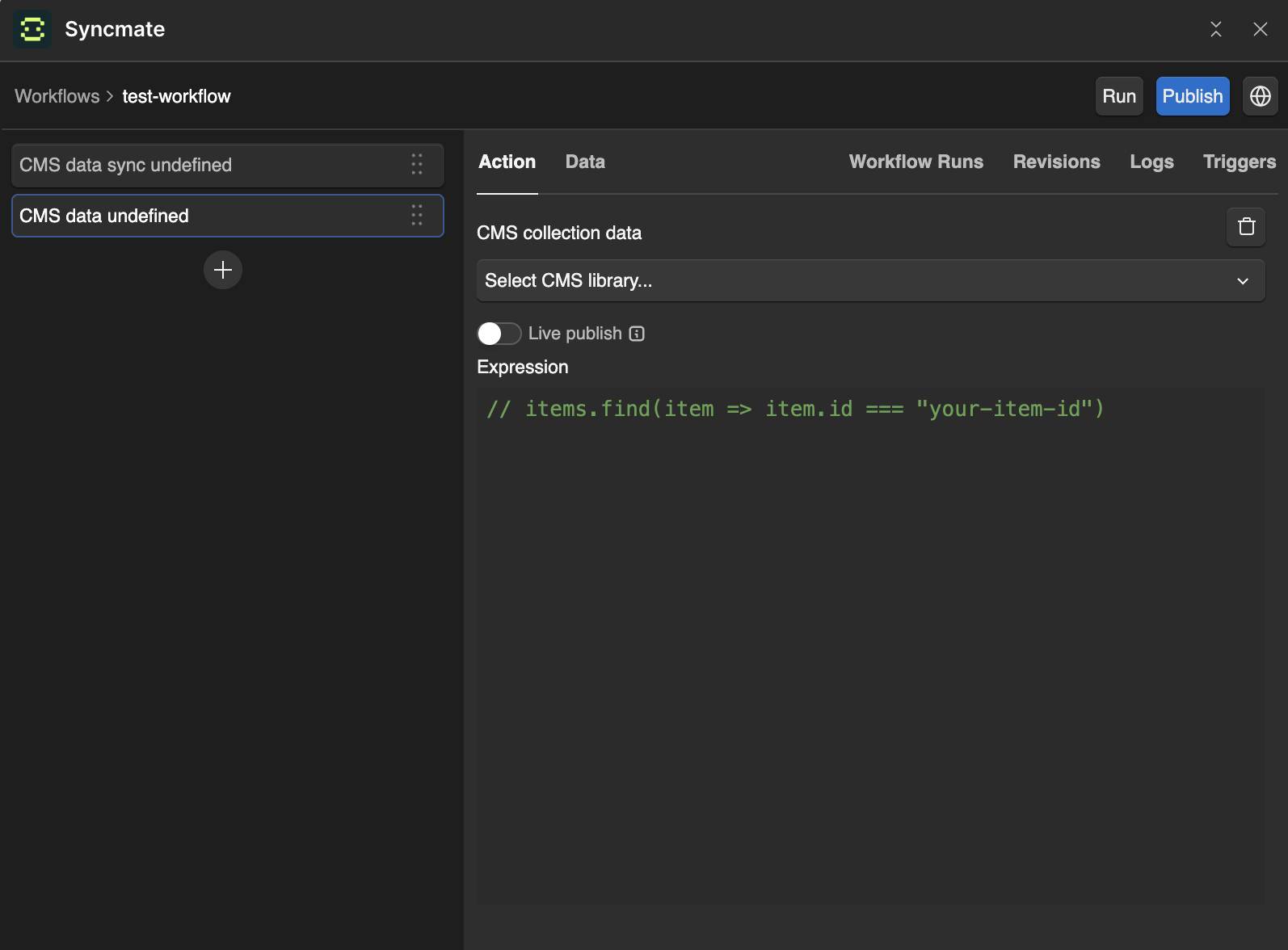
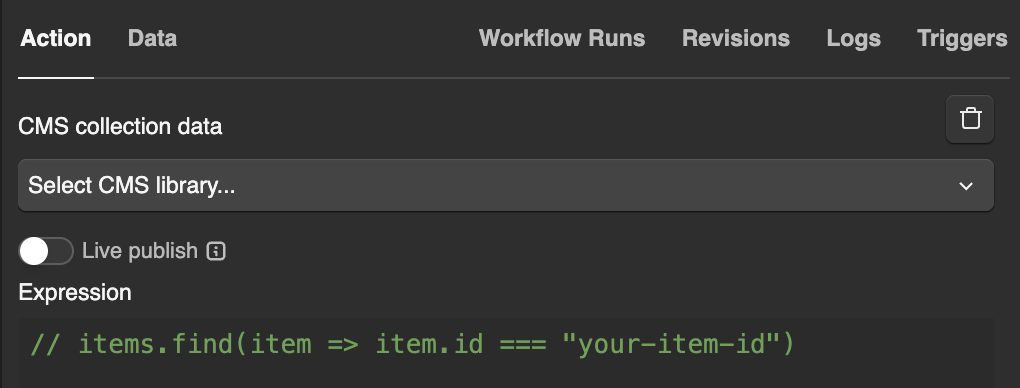
**Collection**: Select the CMS collection you want to fetch data from. The dropdown will show all available collections in your connected Webflow site.
**Live Publish**:
* **Enabled** - Fetches data from your live, published site
* **Disabled** - Fetches data from your staging/draft site
Choose based on whether you need the most current published content or if you're working with draft content.
### Data Expression
The **Expression** field allows you to write JavaScript code that processes the retrieved CMS data. Within this expression, you have access to:
* `items` - Array of CMS collection items
* `ctx` - Context object from previous actions
* `slug()` - Utility function to create URL-safe slugs
* `deleteItems()` - Deletes CMS items when the workflow completes, see [Deleting CMS Items](#deleting-cms-items)
## Working with CMS Data
### Accessing Collection Items
CMS collection items are available in the `items` variable within your expression:
```javascript
// Access all items
items
// Get the first item
items[0]
// Filter items by a field
items.filter(item => item.fieldData.status === 'published')
// Sort items by date
items.sort((a, b) => new Date(b.fieldData.dateCreated) - new Date(a.fieldData.dateCreated))
```
### Data Structure
Each item in the `items` array has the following structure:
```javascript
ctx.cmsItems = [
{
id: "collection_item_id",
fieldData: {
name: "Item Name",
slug: "item-slug",
// ... your custom CMS fields
},
_archived: false,
_draft: false
},
// ... more items
]
```
### Expression Examples
Here are common patterns for working with CMS data:
```javascript
// Store all items for next actions
ctx.allItems = items
// Filter and store specific items
ctx.publishedPosts = items.filter(item => item.fieldData.status === 'published')
// Get the latest 5 items
ctx.recentItems = items
.sort((a, b) => new Date(b.fieldData.dateCreated) - new Date(a.fieldData.dateCreated))
.slice(0, 5)
// Create a lookup map by ID
ctx.itemsById = {}
items.forEach(item => {
ctx.itemsById[item.id] = item
})
// Extract specific field values
ctx.itemNames = items.map(item => item.fieldData.name)
// Filter based on previous action data
ctx.categoryItems = items.filter(item =>
item.fieldData.category === ctx.selectedCategory
)
// Count items by status
ctx.statusCounts = items.reduce((counts, item) => {
const status = item.fieldData.status || 'draft'
counts[status] = (counts[status] || 0) + 1
return counts
}, {})
```
### Accessing Field Data
CMS fields are accessible via the `fieldData` object. The available fields depend on your specific CMS collection structure:
```javascript
// Text field
item.fieldData.title
// Rich text field (HTML)
item.fieldData.description
// Number field
item.fieldData.count
// Boolean field
item.fieldData.featured
// Date field
item.fieldData.publishDate
// Image field
item.fieldData.featuredImage
// Reference field (single)
item.fieldData.category
// Multi-reference field (array)
item.fieldData.tags
```
**Note**: The actual field names depend on your CMS collection structure. Common fields include `name`, `slug`, `dateCreated`, and `dateUpdated`, but your collection may have different field names.
### Using the Slug Utility
The `slug()` function creates URL-safe slugs from text:
```javascript
// Create slugs from names
ctx.itemSlugs = items.map(item => ({ id: item.id, name: item.fieldData.name, slug: slug(item.fieldData.name) }))
// Use existing slug or create one
ctx.processedItems = items.map(item => ({ ...item, finalSlug: item.fieldData.slug || slug(item.fieldData.name) }))
```
## Deleting CMS Items
Call `deleteItems()` to delete items from the selected collection. It takes a CMS item, a Webflow item ID (`item.id`), or an array of them:
```javascript
// Delete one item
deleteItems(items.find(item => item.fieldData.name === 'Old course'))
// Delete several items
deleteItems(items.filter(item => item.fieldData.archived))
// Delete by Webflow item ID
deleteItems(["6628f1a5c3b2a1d4e5f60789"])
```
The items are deleted when the workflow completes, after [CMS Data Sync](/getting-started/actions/cms-data-sync.md) actions have created and updated their items. If the workflow fails, nothing is deleted.
### Deleting Items Removed From the Source
A common use is deleting items whose record was removed from the API you sync from. For example, GoodHabitz lists removed content at `https://api.goodhabitz.com/v2/deleted-contents`:
```json
{
"data": [
{ "id": "007020d0-8498-46a0-91a7-5e1ec9ab2909" },
{ "id": "03755b25-3dac-4846-abdc-44e57eea4c70" }
]
}
```
These are GoodHabitz IDs, not Webflow item IDs, so match them against the CMS field that stores the GoodHabitz ID, the same field your CMS Data Sync action matches items by:
1. Add an [HTTP paginated](/getting-started/actions/http-paginated.md) action that fetches `deleted-contents`, with the result variable `deleted`.
2. Add a CMS Data action **inside** the HTTP paginated action, so it runs for every fetched page, and select the synced collection.
3. Use this expression, replacing `goodhabitz-id` with the slug of your ID field:
```javascript
const removedIds = new Set(ctx.deleted.data.data.map((content) => content.id))
deleteItems(items.filter((item) => removedIds.has(item.fieldData["goodhabitz-id"])))
```
`ctx.deleted.data` is the response body, so `ctx.deleted.data.data` is its list of removed content.
### How Items Are Deleted
* **Only items in the collection are deleted.** IDs that don't match an item in `items` are skipped, and the logs show a warning listing them. With Live publish enabled, `items` holds only published items.
* **Each item is deleted once**, even when `deleteItems()` is called several times or the action runs in a loop.
* **Live publish**: when enabled, published items are removed from the live site right away. When disabled, they stay on the live site until you publish it.
* **Logs**: the action logs how many items will be deleted, and the workflow run statistics show how many were deleted.
Deleted items can't be restored. Before calling `deleteItems()`, log what your filter selects and check the logs of a run:
```javascript
console.log(items.filter((item) => removedIds.has(item.fieldData["goodhabitz-id"])).map((item) => item.fieldData.slug))
```
## Use Cases
### Populating Reference Fields
The primary use case for CMS Data action is populating reference and multi-reference fields in other CMS collections:
```javascript
// Get single item ID for reference field
ctx.selectedCategoryId = items.find(item => item.fieldData.name === 'Featured').id
// Get array of item IDs for multi-reference field
ctx.tagIds = items
.filter(item => item.fieldData.status === 'active')
.map(item => item.id)
// Get specific items by criteria for references
ctx.authorIds = items
.filter(item => item.fieldData.role === 'author')
.map(item => item.id)
```
### Content Aggregation
```javascript
// Collect all blog posts for processing
ctx.blogPosts = items.filter(item => item.fieldData.type === 'blog')
```
### Data Validation
```javascript
// Check for items with missing required fields
ctx.incompleteItems = items.filter(item => !item.fieldData.title || !item.fieldData.description )
```
### Dynamic Workflows
```javascript
// Set different processing paths based on item count
ctx.processingMode = items.length > 100 ? 'batch' : 'individual'
```
### Reporting
```javascript
// Generate content statistics
ctx.contentStats = {
total: items.length,
published: items.filter(i => i.fieldData.status === 'published').length,
draft: items.filter(i => i.fieldData.status === 'draft').length,
archived: items.filter(i => i._archived).length
}
```
### Data Transformation
```javascript
// Transform data for external API
ctx.apiPayload = items.map(item => ({
external_id: item.id,
title: item.fieldData.name,
content: item.fieldData.description,
published: item.fieldData.status === 'published'
}))
```
## Best Practices
### Performance Optimization
* **Filter early**: Apply filters to reduce data processing
* **Limit results**: Use `.slice()` to work with smaller datasets when possible
* **Avoid deep processing**: Keep complex operations minimal for large collections
### Data Handling
* **Check for existence**: Always verify fields exist before accessing them
* **Handle empty collections**: Check `items.length > 0` before processing
* **Preserve original data**: Store original items if you need them later
### Context Management
```javascript
// Good: Store processed data for next actions
ctx.processedItems = items.map(item => ({ id: item.id, name: item.fieldData.name, status: item.fieldData.status }))
// Good: Create summary data
ctx.itemCount = items.length
ctx.publishedCount = items.filter(item => item.fieldData.status === 'published').length
```
## Error Handling
### Common Issues and Solutions
**Empty Results**
```javascript
// Check if data was retrieved
if (items.length === 0) {
ctx.warning = "No items found in collection"
return
}
```
**Missing Fields**
```javascript
// Safely access potentially missing fields
ctx.safeItems = items.map(item => ({ id: item.id, name: item.fieldData.name || 'Untitled', description: item.fieldData.description || '', status: item.fieldData.status || 'draft' }))
```
**Type Safety**
```javascript
// Ensure numeric fields are numbers
ctx.validNumbers = items.filter(item => typeof item.fieldData.count === 'number').map(item => item.fieldData.count)
```
## Expression Requirements
Your expression must:
* Process the `items` array as needed
* Store results in the `ctx` object for next actions
* Not explicitly return anything (the system returns `{ ctx: ctx }` automatically). A `return` ends the expression early and keeps the `ctx` changes and the items passed to `deleteItems()` so far.
The processed context data will be available to all subsequent actions in your workflow.